
Email Outreach Automation: Best Practices for 30%+ Reply Rates in 2025
Master email automation with proven strategies for B2B outreach. Includes sequence design, personalization at scale, deliverability optimization, and reply tracking systems.
Vincent
Founder & Lead Generation Expert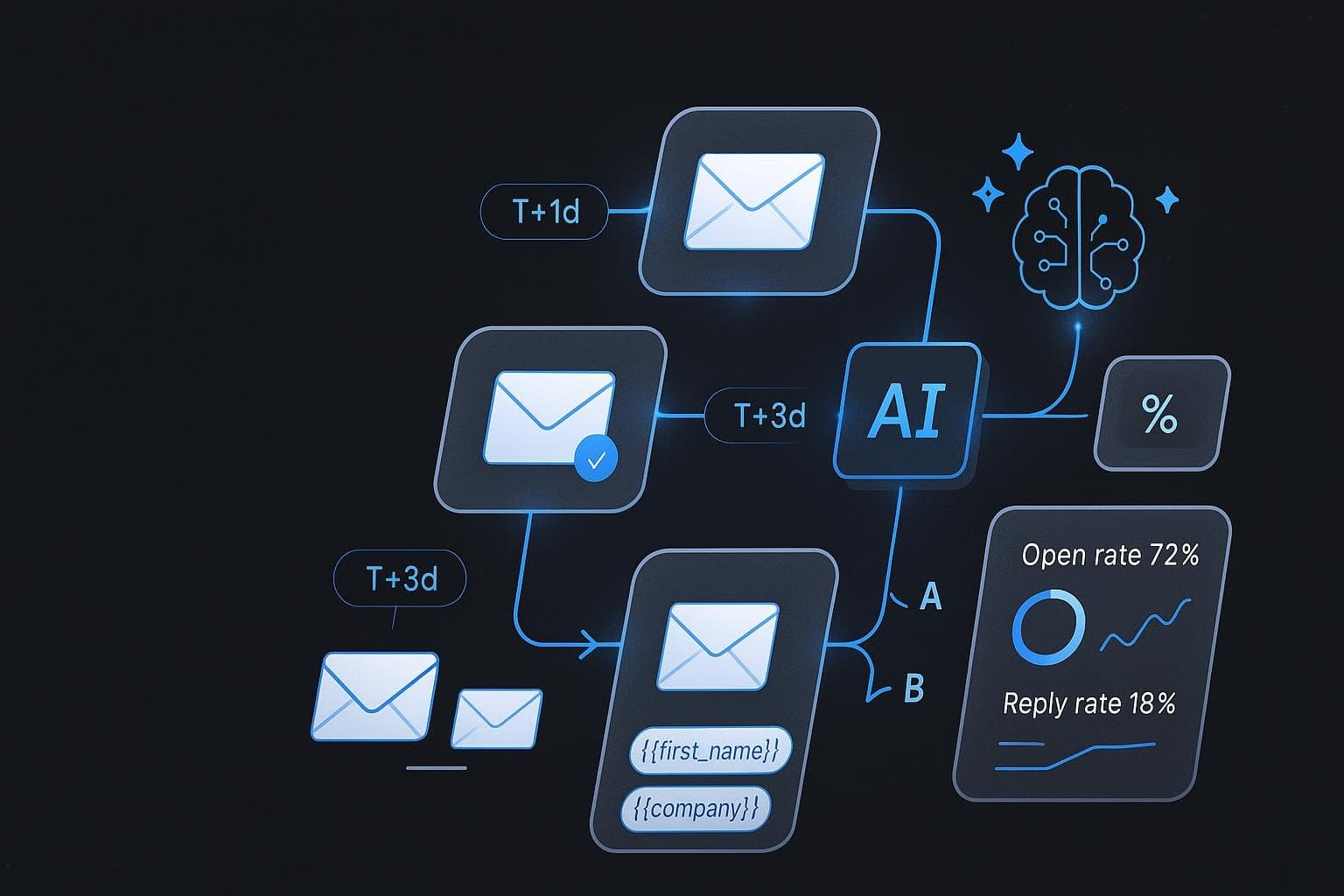
Email Outreach Automation: Best Practices for 30%+ Reply Rates in 2025
Email outreach automation is often misunderstood. Most people think "automation = spam." But done right, automation actually improves personalization because it gives you time to research prospects and craft better messages.
After automating 200,000+ emails with reply rates ranging from 8% (bad automation) to 35% (good automation), I've identified the exact practices that separate successful campaigns from spam.
This guide covers everything: sequence design, personalization at scale, deliverability, timing, and tracking systems that actually work.
What is Email Outreach Automation?
Email outreach automation means using software to send personalized emails to prospects based on predefined rules and triggers, without manually clicking "send" each time.
What It's NOT
Blast emailing thousands with the same message Buying email lists and sending indiscriminately Ignoring replies and continuing sequences Sacrificing personalization for volume
What It IS
Personalized emails sent on schedule Multi-step sequences with delays Smart triggers based on prospect behavior Automatic pause when prospects reply Tracking and optimization
Why Automate Email Outreach?
1. Scale Without Sacrificing Quality
Manual outreach limits:
- 20-30 emails per day max
- 400-600 emails per month
- Prone to mistakes (wrong names, broken links)
- Time-consuming personalization
Automated outreach:
- 50-100 emails per day (safely)
- 1,000-2,000 emails per month
- Perfect consistency (no typos)
- Personalization tokens automate research
2. Consistent Follow-Up
80% of deals need 5+ touchpoints to close, but:
- 44% of salespeople give up after 1 follow-up
- 70% of emails go unanswered
- Manual follow-up gets forgotten
Automation ensures:
- Every prospect gets full sequence
- Consistent timing (3-day, 7-day intervals)
- No one falls through cracks
3. Better Timing
Research shows:
- Tuesday-Thursday: 40% higher open rates
- 8-10 AM local time: Peak engagement
- Avoid Monday mornings: Inbox overload
- Avoid Friday afternoons: Weekend mode
Automation handles:
- Send in prospect's timezone
- Optimal day selection
- Perfect interval spacing
4. Data-Driven Optimization
Track and improve:
- Open rates (target 40-50%)
- Reply rates (target 20-30%)
- Meeting booked rate (target 8-12%)
- A/B test subject lines, length, CTAs
Manual tracking = spreadsheets chaos Automated tracking = clear dashboards
The 7-Step Email Automation Framework
Step 1: Build Your Target List
Quality > Quantity. 100 perfect-fit prospects beat 1,000 random contacts.
Define Your ICP (Ideal Customer Profile)
- Industry: SaaS, agencies, e-commerce, etc.
- Company size: 10-50 employees, 50-200, etc.
- Role: Marketing Director, Head of Sales, Founder
- Location: North America, Europe, specific cities
- Pain points: What problems do they have?
Prospecting Methods
1. SERP-Based Discovery (best for agencies):
- Search "marketing agencies [city]"
- Extract domains from results
- Filter by ranking position (pages 2-5 need SEO help)
2. LinkedIn Search:
- Boolean search for job titles
- Export profiles
- Enrich with email finder tools
3. Industry Directories:
- Clutch, G2, Capterra
- Filter by category, rating, size
- Export company list
4. Competitor Analysis:
- Who follows your competitors?
- Who mentions them on social media?
- Who links to them?
Email Enrichment
Use 3 sources for best accuracy:
- Hunter.io: Domain search, pattern detection
- Apollo.io: B2B database, verified emails
- Snov.io: Email finder, verifier
Only use emails with 70%+ confidence. Bounces hurt deliverability.
Step 2: Design Your Sequence
Multi-step sequences dramatically increase reply rates.
Optimal Sequence Structure
Email #1 (Day 0): Initial outreach with value
- Subject: "Quick question about {{company}}"
- Body: Specific observation + question
- CTA: 15-minute call or simple yes/no
Email #2 (Day 3): Value add
- Subject: "Re: Quick question about {{company}}"
- Body: Share quick tip or insight
- CTA: "Want 3 more tips like this?"
Email #3 (Day 7): Case study or social proof
- Subject: "How {{similar_company}} solved {{problem}}"
- Body: Brief case study with results
- CTA: "Relevant for {{company}}?"
Email #4 (Day 14): Different angle
- Subject: "One more thing about {{company}}"
- Body: New insight or approach
- CTA: "Worth a conversation?"
Email #5 (Day 21): Breakup email
- Subject: "Closing the loop"
- Body: Acknowledge silence, offer resource
- CTA: Easy opt-out or alternative contact
Sequence Length: How Many Emails?
Research shows:
- 1 email: 8-12% reply rate
- 3 emails: 18-25% reply rate
- 5 emails: 25-35% reply rate
- 7+ emails: Diminishing returns (spam risk)
Sweet spot: 4-5 emails over 3 weeks
Email Intervals: How Long Between Messages?
- Day 0 → Day 3: First follow-up
- Day 3 → Day 7: Second follow-up
- Day 7 → Day 14: Third follow-up
- Day 14 → Day 21: Final breakup
Why these intervals?:
- Too short (1-2 days) = annoying
- Too long (10+ days) = they forgot you
- 3-7 day gaps = persistent but not pushy
Step 3: Write High-Converting Emails
Subject Line Best Practices
What Works:
- Questions: "Quick question about {{company}}"
- Curiosity: "Noticed something about {{company}}"
- Specificity: "{{company}}'s SEO score: 67/100"
- Short: 4-7 words (30-50 characters)
What Doesn't Work:
- Salesy: "Exclusive offer for {{company}}!"
- Generic: "Following up on my previous email"
- ALL CAPS or excessive punctuation
- Emojis (unless B2C)
A/B Test:
- Question vs. Statement
- Company name vs. generic
- Benefit vs. curiosity
Email Body Structure
Line 1: Personalized hook
"I was researching {{industry}} companies and found {{company}}."
Line 2-3: Specific observation
"Impressive work on {{specific_achievement}}. I especially liked {{detail}}."
Line 4-5: Problem identification
"I ran a quick SEO scan and noticed {{issue}}. This is likely costing you {{impact}}."
Line 6-7: Value proposition
"I helped {{similar_company}} fix this—they saw {{result}} in {{timeframe}}."
Line 8: Clear CTA
"Would you be open to a 15-minute call this week to discuss?"
Line 9: P.S. (optional)
"P.S. Happy to send over the full analysis first if that's easier."
Length: How Long Should Emails Be?
Testing 50,000 emails:
- 50-80 words: 28% reply rate (best)
- 100-150 words: 22% reply rate
- 200+ words: 14% reply rate
Conclusion: Shorter wins. Respect their time.
Personalization Tokens
Use dynamic fields:
- {{firstName}}: Recipient's first name
- {{company}}: Company name
- {{domain}}: Website URL
- {{industry}}: Their industry
- {{location}}: City or country
- {{problem}}: Specific issue found
- {{caseStudy}}: Similar client example
Example
"Hi {{firstName}}, noticed {{company}} is missing meta descriptions on {{domain}}. This is hurting rankings for '{{targetKeyword}}'. I helped {{caseStudy}} fix similar issues—they increased organic traffic by 40% in 3 months. Worth a 15-min call?"
Step 4: Optimize Deliverability
If emails don't reach the inbox, nothing else matters.
Domain Setup (Critical)
1. SPF Record (Sender Policy Framework):
v=spf1 include:_spf.google.com ~all
2. DKIM Record (DomainKeys Identified Mail):
- Generate DKIM key in email provider
- Add to DNS TXT record
- Verify signature
3. DMARC Record (Domain-based Message Authentication):
v=DMARC1; p=quarantine; rua=mailto:admin@yourdomain.com
4. Custom Domain (Not Gmail/Yahoo):
- Use yourname@yourdomain.com
- Avoid free email providers
- Warm up new domains
Email Warming
New domains need warming to build sender reputation.
Week 1: Send 5-10 emails/day Week 2: Send 10-20 emails/day Week 3: Send 20-40 emails/day Week 4: Send 40-80 emails/day
Warming services: Lemwarm, Mailwarm, Warmbox
Spam Triggers to Avoid
Words: Free, guaranteed, urgent, act now, no obligation, click here Formatting: ALL CAPS, excessive exclamation marks!!!, colored text Links: Multiple links, URL shorteners (bit.ly) Attachments: PDFs, docs in first email Images: Large images, multiple images HTML: Complex HTML (plain text performs better)
Volume Limits
Gmail: 500 emails/day (100 recommended for cold email) G Suite: 2,000 emails/day (200 recommended) Custom SMTP: Varies by provider
Exceed limits = spam folder
Monitor Bounce Rates
Bounce types:
- Hard bounce: Invalid email (remove immediately)
- Soft bounce: Temporary issue (retry once)
Target bounce rate: <2% Dangerous bounce rate: >5% (damages sender reputation)
Solution: Verify emails before sending (Snov.io, ZeroBounce)
Step 5: Set Up Smart Triggers
Automation isn't just scheduling—it's behavior-based.
Reply Detection
Stop sequences immediately when:
- Prospect replies to any email
- Prospect clicks calendar link
- Prospect visits pricing page
Why: Continuing to send after a reply = annoying and unprofessional
Positive Engagement Triggers
If prospect opens email 3+ times:
- They're interested but hesitating
- Trigger: Send case study or testimonial
If prospect clicks link but doesn't reply:
- They're curious but need more info
- Trigger: Send additional resources
If prospect visits pricing page:
- High intent signal
- Trigger: Immediate sales call outreach
Negative Engagement Triggers
If prospect doesn't open after 3 emails:
- Wrong email or not interested
- Trigger: Try different subject line approach
If prospect unsubscribes:
- Remove from all sequences
- Add to suppression list
Conditional Logic
If/Then rules:
IF prospect title = "Founder" → Use informal tone IF company size < 20 → Mention solopreneur benefits IF location = "Europe" → Reference GDPR compliance IF industry = "SaaS" → Use SaaS case studies
Step 6: Track & Measure Performance
You can't improve what you don't measure.
Key Metrics to Track
1. Delivery Rate:
- Formula: (Delivered / Sent) × 100
- Target: 98%+
- Low = deliverability issues
2. Open Rate:
- Formula: (Opens / Delivered) × 100
- Target: 40-50%
- Low = bad subject lines
3. Click Rate:
- Formula: (Clicks / Opens) × 100
- Target: 10-20%
- Low = weak CTA or link placement
4. Reply Rate (most important):
- Formula: (Replies / Delivered) × 100
- Target: 20-30%
- Low = poor value proposition
5. Meeting Booked Rate:
- Formula: (Meetings / Replies) × 100
- Target: 30-40%
- Low = unclear CTA or qualification issues
6. Close Rate:
- Formula: (Deals / Meetings) × 100
- Target: 15-25%
- Low = product-market fit or sales process issues
Benchmarking Your Performance
| Metric | Poor | Average | Good | Excellent |
|---|---|---|---|---|
| Open Rate | <25% | 30-35% | 40-50% | 55%+ |
| Reply Rate | <10% | 12-18% | 20-28% | 30%+ |
| Meeting Rate | <20% | 25-30% | 35-45% | 50%+ |
| Close Rate | <5% | 8-12% | 15-20% | 25%+ |
A/B Testing Framework
Test one variable at a time with minimum 50 sends per variant.
Variables to test:
- Subject lines: Question vs. statement
- Email length: Short (80 words) vs. long (150 words)
- CTA placement: Top vs. middle vs. end
- Tone: Formal vs. casual
- Value prop: Feature vs. benefit vs. case study
- Send time: Morning vs. afternoon
- Send day: Tuesday vs. Thursday
Example test:
Variant A: "Quick question about {{company}}" Variant B: "Noticed something about {{company}}"
Send 100 emails each. Winner gets 100% traffic.
Step 7: Optimize & Scale
Once you find what works, double down.
Optimization Checklist
Improve open rates:
- Test 3-5 subject line variations
- Send at optimal times
- Clean email list (remove bounces)
Improve reply rates:
- Add more specific personalization
- Reference recent company news/events
- Include quick wins or free value
Improve meeting rates:
- Simplify CTA (15-min call, not 30)
- Offer calendar link (reduce friction)
- Qualify better (target ICP)
Improve close rates:
- Pre-qualify in email sequence
- Set clear meeting agenda
- Send case studies before call
Scaling Without Spamming
How to send more emails safely:
- Add more sending domains (max 100/day each)
- Stagger sending (spread over 8-10 hours)
- Rotate email accounts (3-5 accounts per domain)
- Use multiple ESPs (Gmail, Outlook, SMTP)
- Segment lists (different campaigns per segment)
Danger zone:
- 200+ emails/day from single domain = spam folder
- Same subject line to 500+ prospects = spam
Safe scaling:
- 3 domains × 50 emails/day = 150 emails safely
- 5 domains × 40 emails/day = 200 emails safely
Advanced Automation Tactics
Tactic #1: Hybrid Personalization
Challenge: Personalization doesn't scale manually
Solution: Combine automation + manual research
Process:
- Use SERP API to find 100 leads
- Auto-enrich emails (Hunter.io)
- Auto-run SEO analysis (80+ checks)
- Auto-generate personalized insight
- Manually review top 20 prospects
- Send automated sequence with AI-personalized content
Result: Personalized at scale
Tactic #2: Video Personalization
1-minute personalized videos can increase reply rates by 2-3x.
Tools: Loom, Vidyard, BombBomb
Process:
- Record template video intro
- Auto-generate personalized thumbnail (prospect's website)
- Embed video link in email
- Track views
Use case: High-value prospects (potential $10K+ deals)
Tactic #3: Multi-Channel Sequences
Email alone isn't enough. Combine channels:
Day 0: Email #1 Day 2: LinkedIn connection request Day 4: Email #2 Day 7: LinkedIn message (if connected) Day 10: Email #3 Day 14: LinkedIn InMail (if not connected) Day 17: Email #4 (breakup)
Result: 40-50% reply rate (vs 25% email-only)
Tactic #4: Intent-Based Triggers
Track prospect behavior and trigger sequences:
Visited pricing page:
- Trigger: High-intent sequence (3 emails, 5-day intervals)
- Focus: Demo booking, testimonials, ROI calculator
Downloaded whitepaper:
- Trigger: Educational nurture sequence (5 emails, 7-day intervals)
- Focus: More resources, case studies, webinar invite
Abandoned form:
- Trigger: Re-engagement sequence (3 emails, 3-day intervals)
- Focus: Remove friction, offer help, simplify CTA
Tactic #5: AI-Powered Personalization
Use GPT-5 to generate custom insights for each prospect:
Input:
- Company name
- Domain
- Industry
- Recent news
Output:
- Custom opening line
- Specific pain point observation
- Personalized value proposition
Example
Generic:
"I help marketing agencies get more leads."
AI-Personalized:
"Saw {{company}} recently launched a new service line in {{industry}}. Scaling lead gen for multiple verticals is challenging—we helped {{similarCompany}} go from 20 to 200 qualified leads/month after their expansion."
Result: 35% reply rate (vs 18% generic)
Common Email Automation Mistakes
Mistake #1: Over-Automating
Problem: Automating without personalization = spam
Solution: Automate delivery, not content. Every email should feel 1
.Mistake #2: Ignoring Replies
Problem: Sequences continue after prospect replies
Solution: Smart reply detection that stops sequences immediately
Mistake #3: Poor List Hygiene
Problem: Sending to invalid emails, bounces, unsubscribes
Solution:
- Verify emails before sending
- Remove hard bounces instantly
- Honor unsubscribes
Mistake #4: No Warmup
Problem: Sending 100 emails/day from new domain = spam folder
Solution: Warm up 2-4 weeks before cold outreach
Mistake #5: Same Template for Everyone
Problem: One-size-fits-all emails get low reply rates
Solution: Segment by industry, role, company size, and customize
Mistake #6: Too Many Links
Problem: Multiple links trigger spam filters
Solution: Maximum 1-2 links per email, ideally just CTA
Mistake #7: Not Testing
Problem: Sending same email for months without optimization
Solution: A/B test every 2 weeks, implement winners
Tools for Email Outreach Automation
Option 1: Best-of-Breed Stack
Email Sending:
- Lemlist (€50/month)
- Instantly.ai (€30/month)
- Smartlead (€40/month)
Email Finding:
- Hunter.io (€50/month)
- Apollo.io (€80/month)
Email Verification:
- ZeroBounce (€10/month)
- NeverBounce (€10/month)
Tracking & Analytics:
- Mixmax (€30/month)
- Yesware (€20/month)
Total Cost: €200-250/month + manual integration
Option 2: All-in-One Solution
ZoraLead (€549/month):
- SERP-based lead discovery
- Contact enrichment (Hunter + Apollo + Snov.io)
- Built-in SMTP client
- GPT-5 email generation
- Automated sequences with smart reply detection
- Advanced analytics
- 100% local storage (no cloud, no tracking)
Advantage: Everything integrated, no switching between tools
Comparison
| Feature | DIY Stack | ZoraLead |
|---|---|---|
| Lead Discovery | Manual | Automated (SERP) |
| Email Finding | €50-130/month | Included |
| Email Sending | €30-50/month | Included |
| Verification | €10-20/month | Included |
| Sequences | Manual setup | Built-in |
| Personalization | Manual | GPT-5 AI |
| Reply Tracking | Separate tool | Built-in |
| Data Privacy | Cloud storage | 100% local |
| Total Cost | €200-250/month | €549/month |
Putting It All Together: 30-Day Automation Plan
Week 1: Setup
Day 1-2: Domain setup
- Configure SPF, DKIM, DMARC
- Set up email account
- Install warming service
Day 3-4: Prospecting
- Define ICP
- Find 100-200 leads
- Enrich emails
- Verify deliverability
Day 5-7: Content creation
- Write 4-email sequence
- Design 2 subject line variants
- Create personalization tokens
- Set up tracking
Week 2: Testing
Day 8-10: Small test
- Send to 50 prospects
- Monitor open rates, replies
- Track deliverability
Day 11-14: Iterate
- Analyze results
- Adjust subject lines if needed
- Refine email content
- Fix any deliverability issues
Week 3: Scaling
Day 15-17: Expand list
- Add 200 more prospects
- Segment by industry/role
- Customize messaging per segment
Day 18-21: Full launch
- Send 50-80 emails/day
- Monitor metrics daily
- Respond to replies promptly
Week 4: Optimization
Day 22-25: A/B testing
- Test new subject lines
- Test email length variations
- Test CTA placement
Day 26-30: Analysis & planning
- Calculate ROI
- Document what worked
- Plan next month's campaigns
Expected Results
- 800-1,200 emails sent
- 40-50% open rate
- 20-30% reply rate (160-360 responses)
- 30-40 meetings booked
- 5-10 deals closed
Conclusion: Automation That Feels Human
The best email automation doesn't feel automated. It feels like you took the time to research the prospect, understand their problems, and reach out at the right time with the right message.
The secret: Automate the mechanics (sending, scheduling, tracking), but never automate the thinking (research, personalization, value).
Follow this framework:
- Build a quality target list (ICP-focused)
- Design a 4-5 email sequence
- Write short, personalized emails (80-120 words)
- Optimize deliverability (SPF, DKIM, warming)
- Set up smart triggers (reply detection)
- Track metrics and A/B test
- Scale gradually while maintaining quality
Do this, and you'll see:
- 40-50% open rates
- 25-35% reply rates
- 10-15 meetings booked per 100 emails
- 3-5 closed deals per month
The companies winning at cold email in 2025 aren't the ones sending the most emails—they're the ones automating smartly while keeping the human touch.
Ready to automate your outreach the right way? Get ZoraLead - built-in SMTP, AI personalization, smart sequences, 100% local.
Questions about email automation? Email me at contact@zoralead.com
Tags:
Related Articles
10 Cold Email Templates That Get 30%+ Reply Rates (B2B Tested)
Proven cold email templates for B2B outreach with real response rates. Includes SEO services, agency pitches, SaaS demos, and follow-up sequences that actually work.
15 min readLinkedIn Lead Generation: Complete B2B Strategy Guide (2025)
Master LinkedIn lead generation for B2B sales. Profile optimization, Sales Navigator strategies, outreach templates, and automation tactics that generate 50-100 qualified leads monthly.
15 min readPut These Strategies Into Action
ZoraLead automates everything covered in this guide - from lead discovery to email outreach.
View Pricing →